 Gambit Lock
Chess app blocker for iPhone
Solve a chess puzzle to unlock your apps.
Gambit Lock locks the apps you choose. One solved puzzle opens them for 5, 10 or 15 minutes, then they lock again. Think before you scroll.
Not on the App Store yet. Free to start. iPhone, iOS 17 or later.

Pretend demo
Your apps are locked
White to move. Find checkmate in one. Tap a piece, then tap where it should go.
This is a pretend demo on a web page. Nothing on your device is locked or unlocked. In the app, puzzles come from a library matched to your level.
 Your appsYou choose them
- LockedThrough Apple’s Screen Time
 One puzzleAround your level
 Open for a set timeThen locked again
How it works
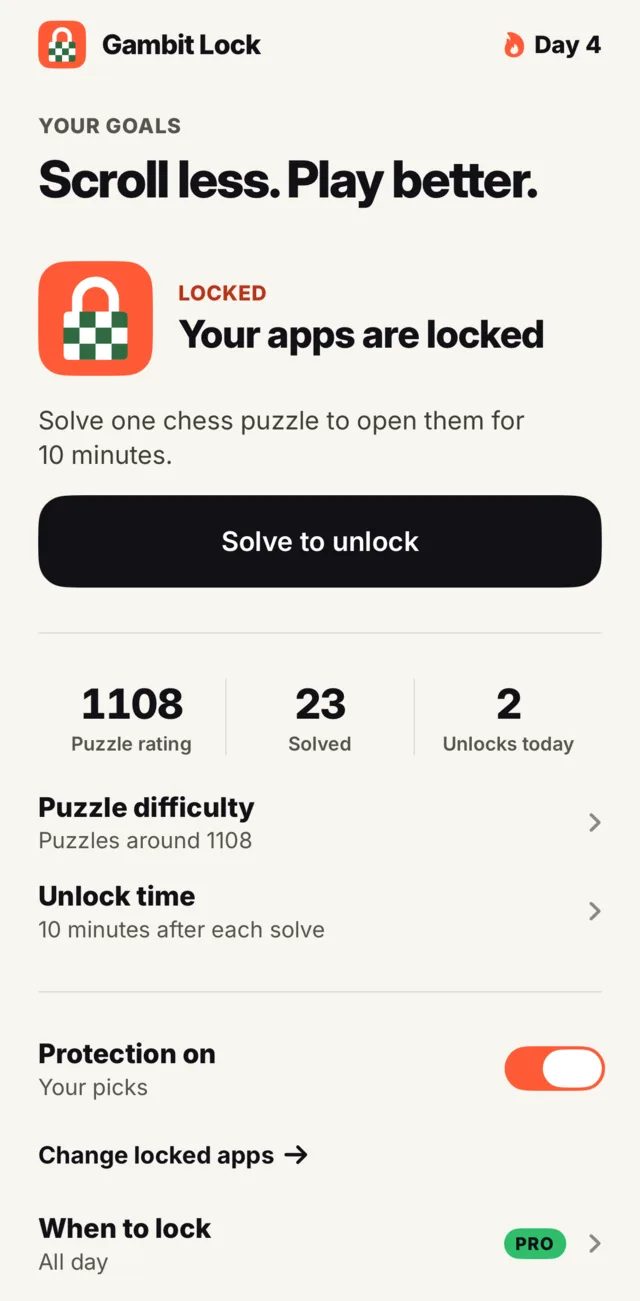
Choose what to lock
Pick apps in Apple’s own picker. Turn protection on and they stay locked.
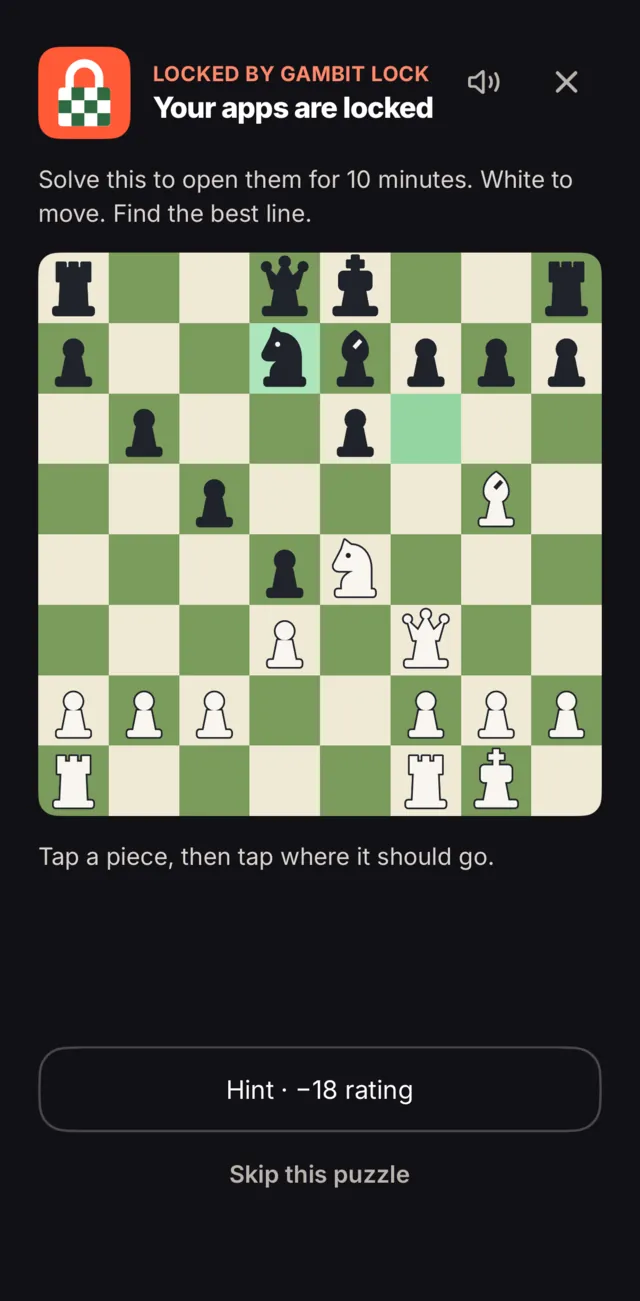
Reach for a locked app
iOS shows a lock screen instead. Tap Solve puzzle, then tap the notification and your puzzle is waiting.
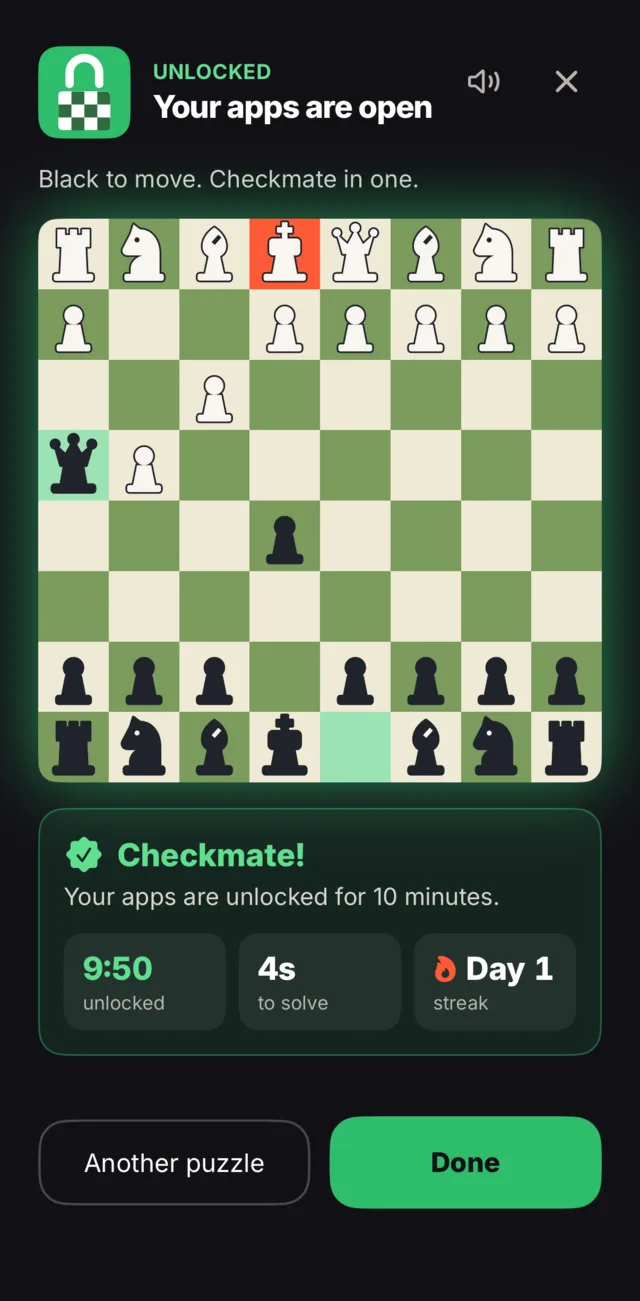
Solve it
Find the move. Stuck? Ask for a hint, or skip to another puzzle.
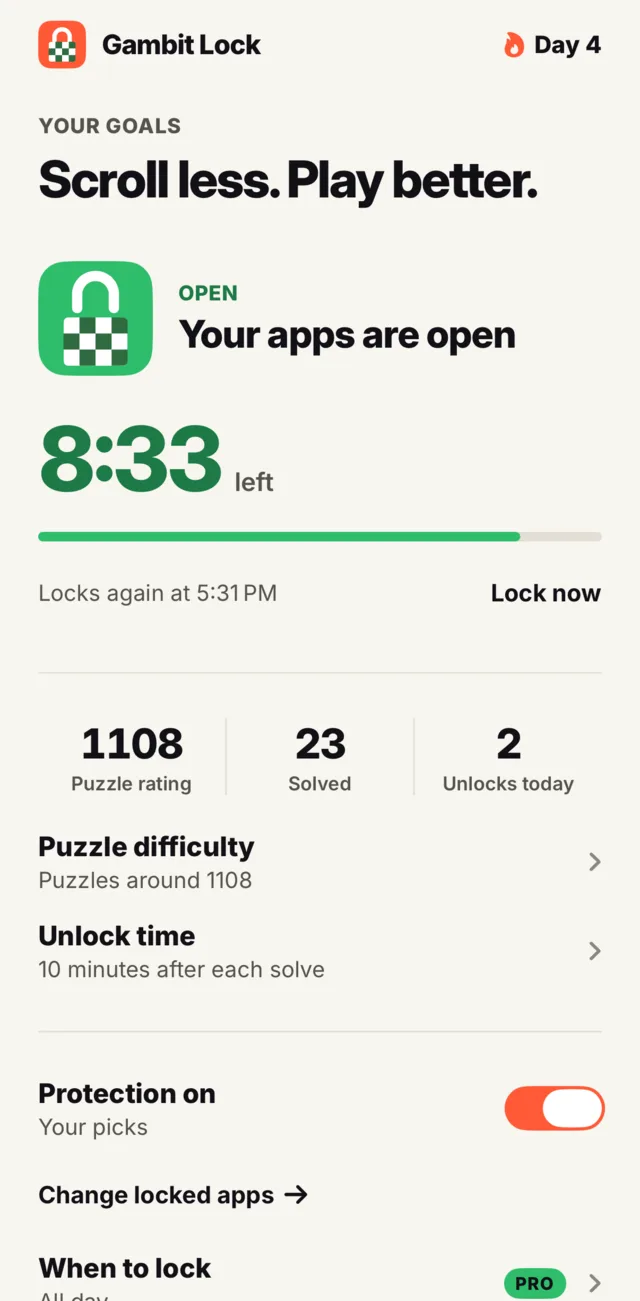
Your apps open, then lock again
A countdown shows the time left. When it ends, the lock comes back by itself.
Screenshots of the real app in the iOS Simulator, with example rating and stats. The simulator can’t lock other apps, so the locked and unlocked states are previewed.
Every unlock is a little chess
A rating that moves
Your puzzle rating goes up with clean solves and down with misses, so it settles near your real level.
Puzzles at your level
New to chess or rated, puzzles stay close to your rating. You can move the difficulty yourself.
A daily streak
Solve at least one puzzle a day to keep your streak going.
What you lock stays on your phone
No account. No analytics, ads or third-party SDKs in the app today. Your picks, rating and streak are stored on your iPhone, and the app has no server to send them to. Purchases go through Apple.
Free and Pro
Free
$0
- Lock 1 app, all day
- Chess puzzles, your rating and streak
- No account, no trial needed
Pro
- Lock any number of apps
- Lock whole categories and websites
- Up to 3 lock schedules, such as work hours or evenings
- Monthly$4.99 a month
- Yearly$19.99 a year, with a 7-day free trial
- Lifetime$79.99 once, not a subscription
US prices. Local prices vary, and the App Store shows yours before you confirm. Subscriptions renew until you cancel them in your Apple account settings. Purchases are subject to Apple’s standard license terms.
Questions
Why does it need a notification?
iOS doesn’t let a locked app open Gambit Lock by itself. A notification can: tap it and your puzzle is waiting. You can also open Gambit Lock yourself and tap Solve to unlock. More on notifications.
Do I need to be good at chess?
No. You start at the level you choose, even if you’ve never played, and puzzles stay close to your rating. Puzzles are short, and you can ask for a hint or skip one.
What if I can’t solve the puzzle?
Ask for a hint, skip to another puzzle or lower the difficulty. A wrong move or hint costs a little rating, but solving the puzzle still opens your apps. There’s no mode that keeps you out completely.
Can I turn the lock off?
Yes. Turning protection off costs one solved puzzle, so it stays a decision. Your apps then stay open until you turn it back on. How it works.
Can Gambit Lock see which apps I use?
The app works with private tokens from Apple’s Screen Time, and it doesn’t read how long you use your apps. iOS supplies an app’s name only so it can be shown to you on your phone. Nothing about your apps is sent to us. The details.
Will this stop me from scrolling?
It can’t promise that. It puts one chess puzzle between you and the app, so opening it becomes a choice.
Does it work on iPad or Android?
Not today. Gambit Lock is for iPhone, on iOS 17 or later. It’s available in English and Spanish.
Do the puzzles need internet?
No. The puzzles are built into the app. You only need a connection for purchases and restores.
More answers are on the support page.